Generate & Edit Video with Bernini AIFree & Open Source
Supports 3 to 15 seconds.
Everything One Model Can Do
Bernini AI handles seven task types across generation and editing — text, images, and video in any direction.
Text to Video
Describe a scene in natural language and Bernini AI generates the video from scratch. The MLLM planner reasons about composition, motion, and style before the DiT renderer produces the frames.

Video Editing (V2V)
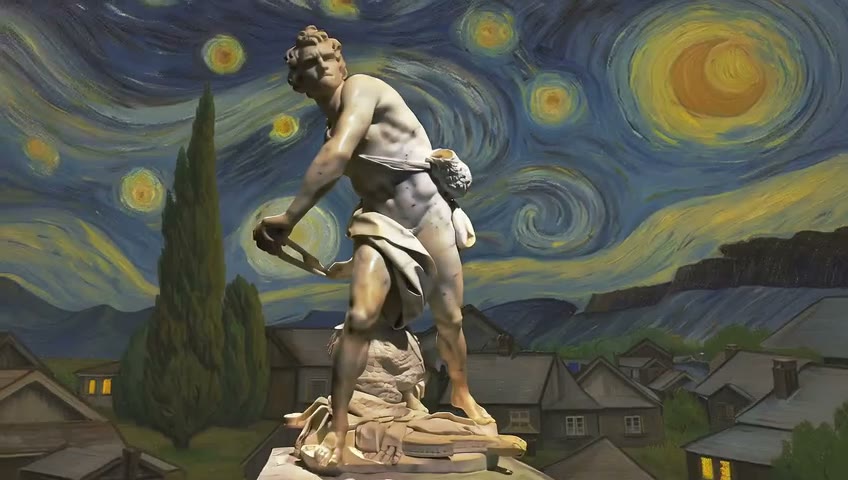
Upload a source video, write what you want to change, and Bernini AI applies the edit while preserving unedited regions. Swap objects, change weather, restyle scenes — all through a text prompt.
Reference-to-Video (R2V)
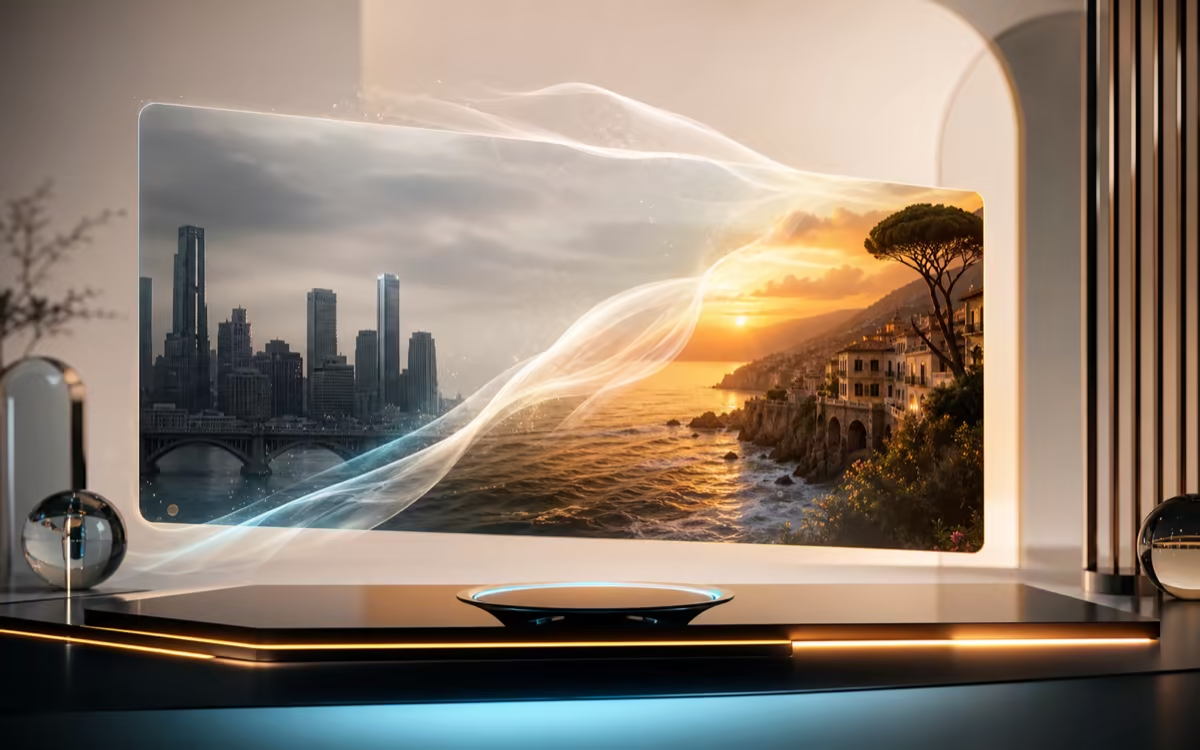
Upload up to five reference images to control subject, material, style, or weather. Bernini AI uses those references as semantic anchors to produce a coherent video that matches your creative intent.

Reference-Guided Editing (RV2V)
Combine a source video with reference images to guide material swaps, object replacements, style transfers, or weather changes. The renderer uses source VAE features to keep fine details intact through the edit.

Content Insertion
Place a provided image or video into an existing scene as reference content. Ideal for product placement, logo insertion, or compositing elements into live footage.

Text to Image & Image Editing
Bernini AI also handles text-to-image generation and image-to-image editing. The same semantic planning pipeline works across both stills and motion — no need to switch tools.

Start Creating in 3 Steps
No GPU, no installation, no setup. Just open your browser.
1. Describe what you want
Enter a text prompt describing the video you want to create or the edit you want to apply. For reference-based tasks, upload source images or video clips. Bernini AI reads text, image, and video inputs together.
2. Choose your task and generate
Select text-to-video, reference-to-video, or prompt-based editing. The MLLM semantic planner works out the target scene, then the DiT renderer synthesizes the frames. Adjust and re-run for variations.
3. Download and use your video
Generation completes in minutes depending on length and complexity. Download the result and use it for social media, marketing, client work, or creative projects — commercial use is covered under Apache 2.0.
Built for Creators, Ready for Any Workflow
From social content to research experiments, Bernini AI fits into your creative stack — free and open source.
Social Media Creators
Generate and edit clips for TikTok, Instagram Reels, and YouTube Shorts without paying for a video tool. Start from a text prompt or remix existing footage with a one-line edit instruction. Free and open source means zero recurring costs.
Marketing & Advertising Teams
Test video variations by editing existing assets with text prompts — change backgrounds, swap products, or adjust visual style without reshooting. Content insertion drops logos and products into existing footage cleanly.
Indie Developers & Builders
Apache 2.0 licensed. Integrate the model into your own app, modify the weights, or self-host on Hopper GPUs. Built on Wan2.2 and Qwen2.5-VL — a fully open foundation for video AI products.
AI Researchers & Students
Bernini achieves first-tier performance among leading closed-source models on video editing, with particular strength in subject consistency. Open weights and reproducible code make it a strong research baseline.
Designers & Visual Artists
Use up to five reference images to lock in a subject, material palette, or visual style across generated clips. Reference-guided editing applies complex material and style changes while keeping composition intact.
What Makes Bernini AI Different
Three architectural choices that separate Bernini from single-purpose video generators.
Semantic Planning — Intelligence Before Pixels
Most video generators jump straight from prompt to pixels. Bernini AI inserts a semantic planning step: the MLLM reasons about composition, object relationships, and motion logic before any frame is rendered. The result: videos that follow complex, multi-part instructions more faithfully.
One Model for Generation & Editing
Most AI video tools split generation and editing into separate models — sometimes separate products. Bernini AI handles text-to-video, video editing, reference-to-video, content insertion, and image tasks within a single unified architecture.
Open Source, Apache 2.0 — No Strings Attached
Free to use, free to modify, free to distribute, and free to use in commercial projects. Weights on Hugging Face, code on GitHub. No credits, no subscription traps, no vendor lock-in. Compare this to closed-source models that charge per generation.
Designed for Real-World Use
Practical benefits that make Bernini AI accessible to everyone, from individual creators to development teams.
No GPU Needed
Use Bernini AI online through hosted services from any device. Self-hosting is available for teams with Hopper GPUs, but you don't need one to get started.
Commercial Use Ready
Apache 2.0 license means outputs you generate belong to you. Use them for social media, advertising, client work, or product videos without licensing restrictions.
ByteDance Backed
Built and open-sourced by ByteDance, one of the world's leading AI research organizations. Published on arXiv (2605.22344) with reproducible benchmarks and open weights.
Technical Highlights
Key specifications and architectural innovations that power Bernini AI's generation and editing capabilities.
SA-3D RoPE Encoding
Segment-Aware 3D positional encoding distinguishes tokens from different visual inputs, keeping source, reference, and generated content cleanly separated.
480p–720p at 24fps
Configurable resolution up to 720p and frame rate up to 24fps. Video length configurable via frame count, typically 2 to 15 seconds per generation.
7 Task Types
T2V, I2V, V2V, RV2V, R2V, Content Insertion, and T2I — all handled within a single unified architecture instead of separate models.
MLLM + DiT Architecture
A semantic planner (Qwen2.5-VL) reasons about composition and motion first, then a DiT renderer (Wan2.2) synthesizes the actual video frames.
What Is Bernini AI — and Why It Matters
Bernini AI is ByteDance's open source, unified framework for AI video generation and editing — you can generate video from a text prompt, edit existing footage by describing the change, and drive new clips from reference images, all in one model. Most AI video tools do one thing: generate from text, or edit footage, or animate from images. Bernini AI does all of them in a single architecture. An MLLM-based semantic planner reasons about the scene first, then a DiT-based renderer turns that plan into actual video frames. The result: better instruction following for complex prompts, and stronger consistency during edits where unchanged regions stay intact. Released under Apache 2.0. Weights on Hugging Face, code on GitHub, published on arXiv (2605.22344, May 2026).
Start Free, Scale as You Grow
Bernini AI is free and open source. Hosted online access is available with free trial credits — no credit card required to start.
Need more credits?
One-time purchase. Add credits anytime - works alongside any plan.
Frequently Asked Questions
What is Bernini AI?
Is Bernini AI really free?
Can I use Bernini AI without a GPU?
What kind of videos can Bernini AI generate?
How does Bernini AI compare to Kling, Runway, or Veo?
Can Bernini AI edit videos I already have?
Do I own the videos I create with Bernini AI?
What does semantic planning mean?
Ready to Create with Bernini AI?
Start generating and editing videos for free — no GPU, no credit card, no strings attached.